
Wednesday, December 19, 2007
Hype of Windows OS 7 started!
While the developments of Windows OS 7 is still in infancy state, ppl have already started monitoring its development, as usual. More info at Apcmag.com. Of course, how can we forget the MinWin:

Wednesday, December 5, 2007
SQL Server 2008 introduces new data type : HierarchyId
I think this introduction of new data type is to help to re-construct the records back to hierarchical view easily (remember the "Using APPLY" sample that need to call the function recursively ?). With the syntax like GetAncestor(), GetDescendant(), IsDescendant() , etc, you can discover the level of the records easily (why it seems gearing towards CLR coding??).
There're few articles with samples:
The CTP version of MS SQL 2008 can be downloaded from here.
Friday, November 23, 2007
Make remote connection for MS SQL Express 2005
When one of my company's client uses the application that tries to connect to MS SQL Express 2005 in the main server that resides in LAN, he keeps receiving this error message:
An error has occurred while establishing a connection to the server. When connecting to SQL Server 2005, this failure may be caused by the fact that under the default settings SQL Server does not allow remote connections.

But those PCs which have both MS SQL 2000 & MS SQL Express 2005 and the default instance is MS SQL 2000, it still hits the error message when I try to connect to MS SQL Express 2005:
SQL Server does not exist or access denied. If connect to MS SQL 2000 using the IP, it works fine again. So I found the root cause again. This time the solution is from connectionstrings.com. By giving the port number used by MS SQL Express 2005 to the connection string, it works and here are the steps:
 3) Double-click the "TCP/IP", under the "IP Addresses", find the "TCP Dynamic Ports".

An error has occurred while establishing a connection to the server. When connecting to SQL Server 2005, this failure may be caused by the fact that under the default settings SQL Server does not allow remote connections.
After a thorough search using Google, I found the MS SQL Express, Evaluation and Developer editions only allow to local connection, be default.
By setting the steps (from MSDN, using "SQL Server Surface Area Configuration") to allow it to make remote connection from remote PC, it works fines for some of the PCs only, using connection string likes:
Data Source=[pc name]\SQLEXPRESS; database=[database name]; uid=[user name]; pwd=[user password]
, when there's only MS SQL Express 2005 resides on PC.
But those PCs which have both MS SQL 2000 & MS SQL Express 2005 and the default instance is MS SQL 2000, it still hits the error message when I try to connect to MS SQL Express 2005:
SQL Server does not exist or access denied.
If connect to MS SQL 2000 using the IP, it works fine again. So I found the root cause again. This time the solution is from connectionstrings.com. By giving the port number used by MS SQL Express 2005 to the connection string, it works and here are the steps:1) Go to: All Programs>Microsoft SQL Server 2005>Configuration Tools>SQL Server Configuration Manager
2) Then under: SQL Server 2005 Network Configuration>Protocols for SQLEXPRESS
3) Double-click the "TCP/IP", under the "IP Addresses", find the "TCP Dynamic Ports". 4) Use the port number (I think port no. 1433 is used by default MS SQL instance) as part of the connection string likes:
 5) Success!
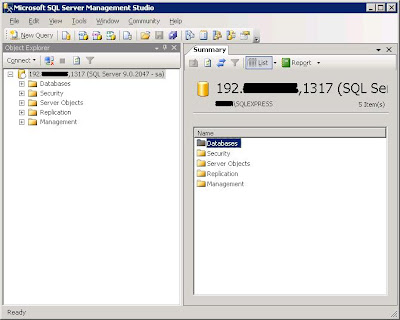
Data Source=[pc name]\SQLEXPRESS, [port number] ; database=[database name =]; uid=[user name]; pwd=[user password]
5) Success!Thursday, November 22, 2007
My CodeProject's article being referred!
While googling on other developers create clock application, I found my CodeProject's article being referred. :-) But it is only read 60+ times at the time of reading :-( . I think this dotnet-news.com read all the news (or RSS) from CodeProject and channel it to all their audience.
 Anyway, I MUST continue to come out new application.
Anyway, I MUST continue to come out new application.
Wednesday, November 14, 2007
Which OS are You?
I just found this BBspot website. This is the result of the personality test:

Wah, there're few more test can be conducted :
Which File Extension Are You?
Which Nigerian Spammer Are You?
Which Programming Language Are You?
Which Website Are You?
Wah, there're few more test can be conducted :
Which File Extension Are You?
Which Nigerian Spammer Are You?
Which Programming Language Are You?
Which Website Are You?
Subscribe to:
Posts (Atom)