Showing posts with label MSSQL 2008. Show all posts

Thursday, September 26, 2013

Create failed for User 'XXX' when restoring a database

Recently I was doing the database (let's say: 'restoreTest') migration in MSSQL 2008 from one instance to another.


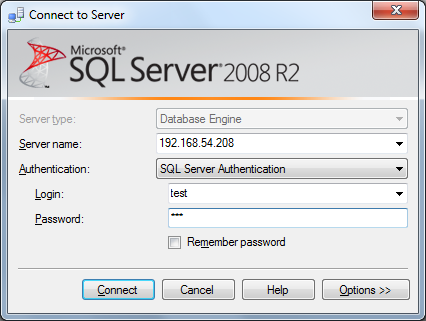
There's an existing login (let's say: 'restore' in picture below) that I need to bring along with this 'restoreTest' database migration.


1) When I went to create a new login and assign the access-right of the newly-created 'restore' account to the new 'restoreTest' database restored in the new instance,


2) I encounter this error message:

Create failed for User 'XXX'
User, group, or role 'XXX' already exists in the current database. (Microsoft SQL Server, Error: 15023)


3) The new 'restore' user is created but it's not associated with  'restoreTest' database.
I was so curious what went wrong. After a check, I  found the user 'restore' was backed-up along with the database.


4) After I deleted the user 'restore' that comes in the newly-restored 'restoreTest' database & , and re-assign it, then everything is OK.

Tuesday, August 9, 2011

Creating Linked-server in MSSQL

I come across a situation where I need to import the data from one instance to another, in MSSQL. So, I add the steps here to see it might help.

1) At source DB where we want to retrieve the data, create a new login account, eg. "test" with password "123".

2) Use the neccesary authetication, choose to untick "Enforce password policy" for our testing purpose.

3) If the db name in source DB is called "testing", maps the test account "test" to this db, with appropriate schema. In this case, it's "dbo". Add the role as "db_datareader" as well.

4) At destination DB where we want to store the data, create a same new login account created in step (1), eg. "test" with password "123", using SA account.

5) Use the neccesary authetication, choose to untick "Enforce password policy" for our testing purpose.

6) If the db name in destination DB is called "testDB", maps the test account "test" to this db, with appropriate schema. In this case, it's "dbo".

7) Add a linked-server in destination DB, you can either use SQL script or GUI.

8) You can verify the available linked-server in the destination DB, thru' Catalog Views: sys.servers

9) Now, log-in as "test" user.

10) So, you should be able to query the source DB data by using a fully-qualified name.

Saturday, February 7, 2009

MSSQL 2008 System View release!

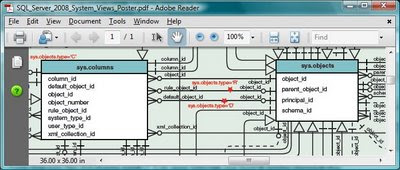
Are you a DBA? Want to know how the overall architecture of MSSQL? Ever wonder how you can manage the databases easily? How you can create a version of simple MSSQL Management Console better than mine? Yes, now you can see how it works through the entity-relationship model (ERM) at here.

Start from sys.objects, sys.columns, ..., you can easily manipulate your T-SQL scripts within the following categories of component:
  • Objects, Types and Indexes
  • Trace and Eventing
  • Linked Servers
  • Common Language Runtime
  • Partitioning
  • Database Mirroring
  • EndPoints
  • Database and Storage
  • Execution Environment
  • Service Broker
  • Security
  • Transaction Information
  • Resource Governor
  • Server-Wide Information
  • Full Text Search
  • Extended Events

p/s: During last year PDC 2008, .NET FX team has released a selection of new types and namespaces introduce in FX4 at Brad Abrams's blog. From there, you can download 2 versions:

  1. PDF version
  2. DeepZoom version

Friday, August 8, 2008

Finally, MSSQL 2008 is RTM-ed.

After its initial launch on February, MSSQL 2008 reaches RTM. With the new logo,

it comes with a lots of useful resources:
1) Quick-Start Installation of SQL Server 2008
2) Installing SQL Server 2008
3) Editions and Components of SQL Server 2008
4) Webcasts
5) What's New
6) how can we forget the most important one: Tutorials
Wait no more, start your engine with full-throttle and go!

Wednesday, December 5, 2007

SQL Server 2008 introduces new data type : HierarchyId

I think this introduction of new data type is to help to re-construct the records back to hierarchical view easily (remember the "Using APPLY" sample that need to call the function recursively ?). With the syntax like GetAncestor(), GetDescendant(), IsDescendant() , etc, you can discover the level of the records easily (why it seems gearing towards CLR coding??).

There're few articles with samples:

  1. SQL Server 2008 - HierarchyID - Part I
  2. SQL Server 2008 - HierarchyID - Part II

The CTP version of MS SQL 2008 can be downloaded from here.