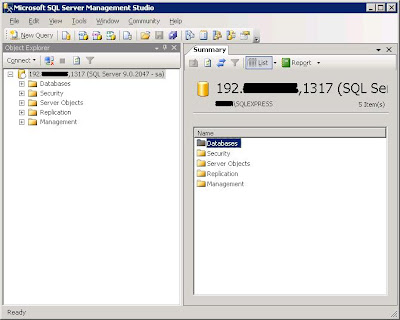
Here are some of the screenshots of it:
1) Login screen

2) Main GUI with MSSQL 2005 in action

3) Main GUI with MySQL 5.0 in action

4) Object scripting

5) Dependency viewer
 For this version, it will suport MSSQL 2000 & 2005, MySQL 5.0. I am planning to include PostgreSQL connector in the next version. The features include in this version are :
 - (IDE-wise) Open/Save/Drag-and-Drop file
- (IDE-wise) query pane and result pane
- (MS SQL 2000 & 2005) Object browser for system objects (Scalar function, Stored procedure, System table, Table function, Trigger, User table, View)
- (MS SQL 2000 & 2005) Object browser for security (Users, Roles, Schemas)
- (MS SQL 2000 & 2005) Object browser for constraints, columns, parameters (Columns, Keys, Constraints, Triggers, Indexes, Parameters)
- (MS SQL 2000 & 2005) Dependencies viewer for objects (Scalar function, Stored procedure, System table, Table function, Trigger, User table, View)
- (MS SQL 2000 & 2005) Object scripting for non-encrypted objects (Scalar function, Stored procedure, Table function, Trigger, View)
- (MySQL 5.0) Object browser for system objects (Scalar function, Stored procedure, System table, Trigger, User table, View)
- (MySQL 5.0) Object browser for security (Users, Privilege)
- (MySQL 5.0) Object browser for constraints, columns (Columns, Keys, Triggers)
- (MySQL 5.0) Object scripting for non-encrypted objects (Scalar function, Stored procedure, Trigger, View)
Since parts of the source code is came from MSDN, thus I think it's good to release it under Microsoft Public license (Ms-PL) to prevent any infringement, though the chance are very little.
Since I am not an expert on database, feel free to give to any constructive comment and recommendation. I will try to improve it.
You can get the source code at here and executable files at here.


 If connect to MS SQL 2000 using the IP, it works fine again. So I found the root cause again. This time the solution is from
  3) Double-click the "TCP/IP", under the "IP Addresses", find the "TCP Dynamic Ports".
 5) Success!